Normally when working with delegation, you just set the Service Principal Name, either with Setspn or manually with an attribute editor, then just right-click the user or computer in Active Directory Users and Computers, select properties and in the delegation tab configure the options you want.
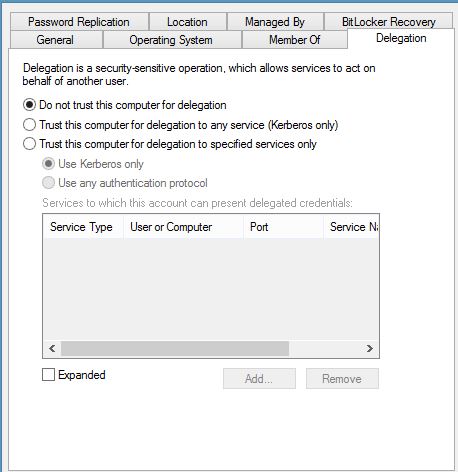
But if you select a Managed Service Account, it looks like this:
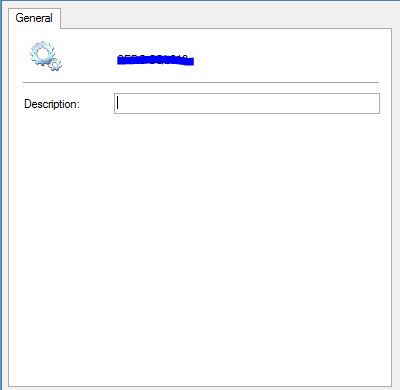
So how do you configure delegation? Simple, you need to set the correct attributes for it manually.
There are two attributes you need to modify. One of the easiest way to modify attributes is to enable advanced features in the view menu of Active Directory Users and Computers. If you then select propterties on your Managed Service Account(or any other object) you will get a simple attribute editor.
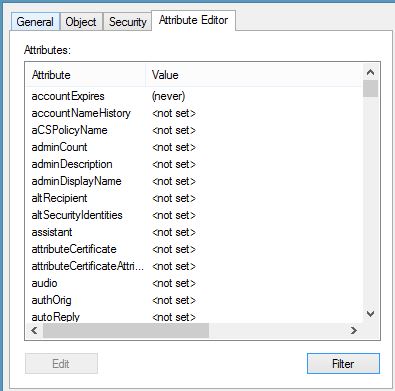
The first one is called msDS-AllowedToDelegateTo and the value here is the Service Principal Name of the service you wish to delegate to. Read more about Service Principal Names or SPN:s here.
The second one is userAccountControl. Heres where it gets just a little bit tricky. Here is where you select the options for just kerberos or any authentication protocol. The value for just kerberos is 4096, and if you want to use any authentication protocol it is 16781312.
The default value is 4128.
Here is a great article that explains these values in more detail.
http://windowsitpro.com/windows/most-confusing-dialog-box-active-directory